24 July 2011

Spyware in brief

Spyware is a type of malware that can be installed on computers, and which collects small pieces of information about users without their knowledge or In simple terms, it is a way for shareware authors to make money from a product, other than by selling it to the users.There are several large media companies that offer them to place banner ads in their products in exchange for a portion of the revenue from banner sales. This way, you don't have to pay for the software and the developers are still getting paid.

There are thousands of known spyware, But here are a few:
  • Alexa
  • Aureate/Radiate
  • BargainBuddy
  • ClickTillUWin
Now the Question comes how to remove Spyware?

Spybot-S&D
Detects and removes spyware of different kinds (dialers, loggers, trojans, user tracks) from your computer. Blocks ActiveX downloads, tracking cookies and other threats.

Spy Sweeper
Detects and removes spyware of different kinds (dialers, loggers, trojans, user tracks) from your computer.

HijackThis
HijackThis is a tool, that lists all installed browser add-on, buttons, startup items and allows you to inspect them, and optionally remove selected items.

With all the above mentioned tools , you can easily remove spyware from your computer, now since Precaution is better than cure ,To prevent "spyware" being install. you can use following software
SpywareBlaster
SpywareBlaster doesn`t scan and clean for so-called spyware, but prevents it from being installed in the first place. It achieves this by disabling the CLSIDs of popular spyware ActiveX controls, and also prevents the installation of any of them via a webpage.

SpywareGuard
SpywareGuard provides a real-time protection solution against so-called spyware. It works similar to an anti-virus program, by scanning EXE and CAB files on access and alerting you if known spyware is detected.

XP-AntiSpy
XP-AntiSpy is a small utility to quickly disable some built-in update and authentication features in WindowsXP that may rise security or privacy concerns in some people.

So with this i will complete my post , i hope till now you have got some idea what is this spyware? how to remove and prevent them? If still have some query feel free to ask

22 July 2011

Answer to How for beginners of SQL Injection


If I ask you one question to what SQL injection is, your answer will be either I don’t know or I know. Now my question for those who say I know is? What do you really know about SQL injections? You may say it is a way for an un authenticated person to get access of system without having any kind of login credentials. Now if I will ask how? You may say it’s easy; I will just enter following code in login box instead of entering valid proper login details
Username as a’or’1’=’1 and password as a’or’1’=’1
Now I will ask you do you know what you are doing here. Now confused  :).No Problem, here is the chance for you to know about this
When you open a login page , you enter your login information , now the Web applications access databases to match this information in its database table , if it matches then it will provide you  the access of  system else it will display you error message
In order to access database an application fires SQL Query in the following form
Select * from users where username = xyz and password = abc;
Here we are passing xyz as arguments that you have entered in username field and abc as password, it is like a condition that whether there exists and data with username = xyz and password = abc. Now in SQL Injection what you are actually doing is manipulation of this SQL query.
When we enter username and password as a’or’1’=’1 , it makes the condition “where username = ‘’ and password  = ‘’ “ true since a’or’1’=’1 is always true , hence condition will be satisfied and it will provide you access of system, but it will only provide you access of any random account , if you know username then you can enter username  and password as a’=’1’=’1 , it will give you access of account of desired username
This is commonly known as Blind SQL Injection.

So with this i will complete my post, in next part we will explore it further, if anyone having any confusion regarding this ,then feel free to ask

Warning :- The above post is just for knowledge , please don’t use it in wrong way otherwise you may face its serious consequences

16 July 2011

Introduction of Jquery and its use in cakephp Applications

The day Tim Berners-Lee invented WWW AKA World Wide Web , we have seen a lot of changes in the way we present information through internet . Today if you visit a website, you will see a lot of special effects that adds a lot to look and feel of website . Have you ever wondered how these effects can be implemented in a webpage?
No? Not a problem , here is the chance for you. You might have heard about javaScript which is used to make webpages interactive, but it was not that much effective , So web developers provide a  new library named jQuery  is designed to change the way that you write JavaScript. It is also fast and concise
Now Let us now learn how to use it in cake applicationYou have to first download it . You can download it from here . Then you have to put it in js folder of  your webroot directory inside app folder of your cakephp application.

In order to use jQuery Special Effects, you have to include it in your view or  ctp file using following syntax
echo $this->Html->script('jQuery');

Note you have to make sure , that name of jQuery file should be "jQuery.js", otherwise it will not work on Linux server.
 
Look us now start with some scripting
The Basic syntax used in Jquery is $(selector).action()
  • A dollar sign basically mean getElementBy
  • A (selector) to "query (or find)" HTML elements
  • A jQuery action() to be performed on the element(s)
<script type="text/JavaScript">
$(document).ready(function(){
// This line is used to prevent execution of script until page load
 $(".hide").click(function(){
       $(".manish").hide("slow"); // hides all elements with class="manish”
      });
 $(".show").click(function(){
         $(".manish").show("slow"); // Show all elements with class="manish”
  });
}) ;</script>

Now we will do some css part . You have to create a new css file with any name of your choice and write the following code in it.
 
div.manish  {
  width:300px;
  background-color:yellow;
  padding:7px;
  border:solid 1px #c3c3c3;
  }
Now include it in css folder of webroot directory and then include it in your webpage using following syntax
echo $this->Html->css('style1');

Now its time to create some button on which you will fire events such as hide, show using cakephp syntax

echo  $this->Form->button('hide me', array('class' => 'hide'));
echo  $this->Form->button('show me', array('class' => 'show'));

 <div class="manish">
    
<p>
    <span style="font-family:arial;font-size:14px;">My name is Manish Kumar Goyal
      I am a computer Engineer
</span>
    </p>
 </div>
So with this we are done, this is one of the most basic explanation of Jquery , if still have any kind of query. Feel free to ask

10 July 2011

Nmap : Fist step of hacking


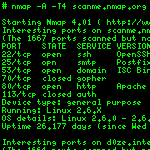
Nmap stands for Network Mapper. Nmap was designed to be a free utility for network exploration or security auditing. Nmap uses raw IP packets in novel ways to determine what hosts are available on the network, what operating systems (and OS versions) they are running, what type of packet filters/firewalls are in use.It was designed to rapidly scan large networks, but works fine against single hosts.


Let us take a simple scenario to learn more about nmap
Say a a thief wants to steal something from house , then as a very first step,  he wants to find the location from where he can get himself into house, similar to that nmap performs same thing for you. It scans all the ports(It is a entry point in simple terms) where a host is listening ,and lists them 


In order to scan a host you have to perform following steps
1:- Open CMD prompt
2:- type nmap.exe -sS -F <hostname>


Press enter , it will lists all the port where a server is listening
You can download it from here
Click here


Please do post your comments, If you like it

03 July 2011

How to add a timer using Javascript in a webpage?

Have your ever taken an online exam , you might have seen a timer where after appropriate time it automatically submits the form and redirects you to next page, today through this post , I will explain you this whole functionality in detail

Here we need 2 things

1: Simple HTML form :- 
We will create a simple html form with one question , 2 radio buttons and a submit button, it will look like this

<form name = “question” action = “next.php” method = “post”>
1:- What is Chemical name of hydrogen?
<input type = “radio” name = “ans” value = “Hydrogen” >Hydrogen
<input type = “radio” name = “ans” value = “Helium” >Helium
<input type = “hidden” value =”1600” id  =”hdnTimer”>
<input type = “submit”>
</form>

2:- Next comes script part , so here is your script

<script type = 'text/javascript'>
function MyTimer() {
var valueTimer = $('#hdnTimer').val();
if(valueTimer > 0){
       valueTimer = valueTimer - 1; 
       secs  = ((valueTimer % 3600) % 60).toString();
       if(secs.length  == 1) secs  = '0' + secs;
      $('#idTimerLCD').text('Time Left :' + secs + ' sec' ); 
       $('#hdnTimer').val( valueTimer ); 
 }  else {
       $('#Question').submit(); // Submit form as soon as timer complete
}
}

// This is used to call MyTimer() as soon as body loads and after every 1 sec
$("body") . ready(function(){
setInterval( "MyTimer()" , 1000);
});
</script>


Note here i have used jquery , so you need to download it from their official site and add it to your page

So this is what you all need to add a timer in your application , now enjoy , if still have some query , then feel free to ask :)